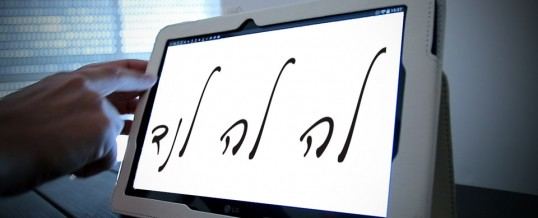
טבלט בחינוך: האם זה באמת עובד?Tablets in Education: Do They Really Work?La tableta en la educación: ¿funciona realmente?
מאתByPorורד פריאנטה קורלנדרVered Pariente KurlenderVered Pariente Kurlenderפורסם לראשונהFirst publishedPublicado por primera vez2015
אולי מחר, אך היום, עדיין לא.
לאחר שתי שנות נסיון עם מודלים וחברות שונות, השאיפה עדיין רחוקה מאד מהמציאות. מאז נכנסתי לתפקיד של מנחת תחום הוראת הניו מדיה, במגמות טכנולוגיות תקשורת, במשרד החינוך, נראה היה שהשימוש בטבלט בחינוך הינו מציאות נפלאה ביותר ומובנת מאליה כמו שהשמש זורחת ביום ווהירח בלילה. היה זה כיתרון ברור. כלי טכנולוגי זול עם אפליקציות חינמיות או זולות ביותר המאפשרות לעשות דברים שלפני כעשר שנים התאפשרו רק בידי המקצוענים. דברים כעריכת ווידאו, עיצוב ועיבוד תמונה ברמה מקצועית ועד יצירת ״מציאות מוגברת״ (Augmented Reality) נהיו לפתע בהשג יד של כל אחד. עד אשר באחד הימים היה עלי להשתמש באמצעים הללו להעברת שיעור והסתבר לי שזה לא ממש פשוט. ויש לבחון לעומק את יתרונם של כלים אלו לפדגוגיה אל מול החסרון. בשנים האחרונות נדמה שאנו מאמצים להוראה כלים טכנולוגיים, באופן מהיר מדי ואולי אף לא מספיק זהיר.
1. מקרה לדוגמא: ספר דיגיטלי – ספר או אפליקציה?
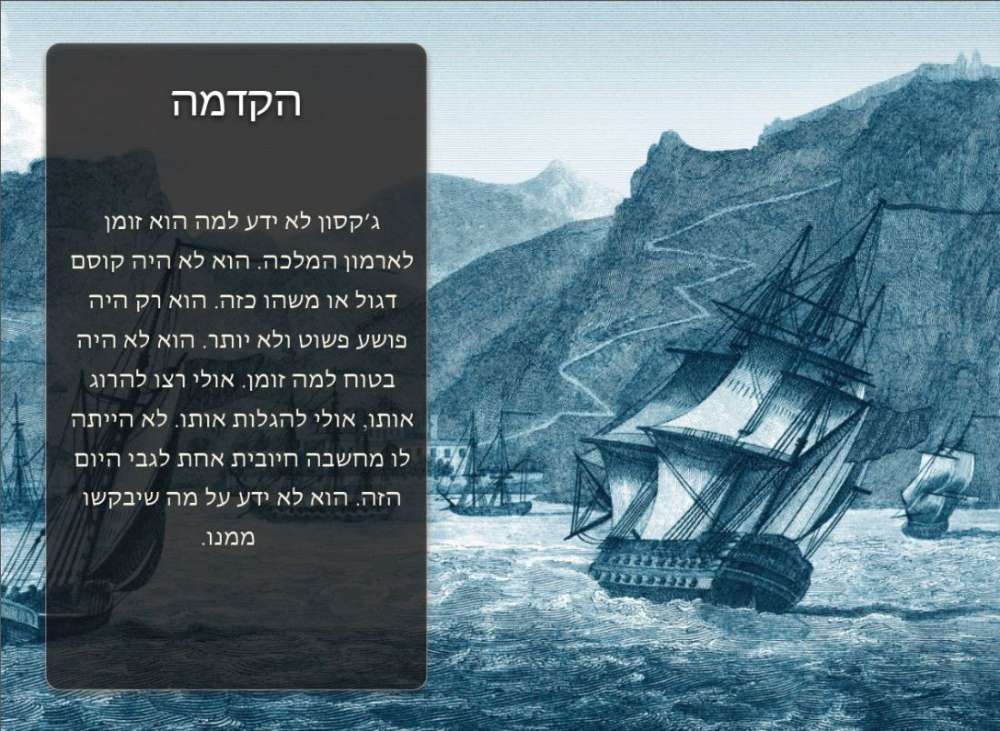
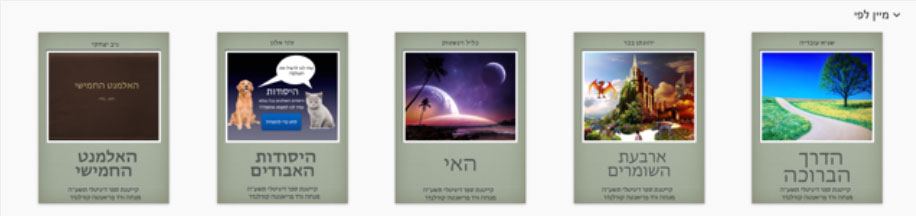
בקייץ האחרון, השתתפתי במיזם נפלא של משרד החינוך, קייטנות קייץ דיגיטליות. אחת הקייטנות שהתבקשתי להעביר הייתה, קייטנת ספר דיגיטלי ב iPad. התלהבתי מהרעיון. iBooks Author זו תכנה חינמית של אפל, בעלת תוצאות מקצועיות. אך שלפתע שמנו לב שטעינו; לא קיימת אפליקציית iBooks Author ל iPad ושאר התחליפים עולים כסף. ישנן אלטרנטיבות שמאפשרות לעשות ״ספרים״: כולן דומות. והן מעין תבניות קבועות שלא מאפשרות חופש יצירתי אמיתי. האפשרויות שעמדו לפני היו, או לבטל את הקייטנה או למצוא אלטרנטיבה שתאפשר לעמוד במטרה שלשמה רשמו ההורים את ילדיהם; ללמוד ליצור ספר דיגיטלי. התחלתי לחשוב מהתחלה. לא קיימת אפליקציה. מה ברצוני ללמד? מהי המהות של ספר דיגיטלי?
ספר דיגיטלי אינו כמו ספר רגיל, אותו קוראים מעמוד 1 עד הסוף בסדר כרונולוגי. ספר דיגיטלי דומה במהותו למשחק ווידאו אשר מאפשר לקורא לקפוץ מעמוד לעמוד. ״ליצור את ההרפתקאה שלו״. וזה מה שחשבתי שעלי ללמד. אופן חשיבה אינטראקטיבית. רציתי שהילדים ילמדו ליצור את עולם הפנטזיה שלהם וילמדו לשים את רגליהם בנעליו של האחר. על פי קריטריונים אלו יצרתי את תכנית ההוראה. הכנתי ספר דיגיטלי אינטראקטיבי לדוגמא ובחרתי כלי טכנולוגי שנמצא בהישג יד של כל אחד, Keynote. הגירסה של Power Point עבור Mac/iPad. באופן כללי יש לכלי זה את היתרון בכך שהוא חינמי והוא נימצא בכל הטבלטים. ובפרט בכך שהוא מאפשר ללמד את הצעדים הבסיסיים באנימציה ולשלב ווידאו וסאונד בתוכו. בסופו של התהליך יש לייצא את הסיפור ל iBooks. הכלי היה מצויין כדי ללמד את המושגים הבסיסיים של הספר הדיגיטלי ובעצם של כל אפליקציה אינטראקטיבית: יצירת נקודות חמות ויצירת ממשק משתמש. ללא הגבלת הדמיון של הילד על ידי שימוש בפלטפורמה או תבנית קבועה מראש. למרות שדברים מסויימים כמו הורדת ווידאו לטבלט ויבוא שלו לאפליקציית העריכה היו מאד מסורבלים, שלא כמו בעבודה במחשב (בנושא זה הרחיב בהמשך) הניסוי עבד.
ורד שלום ליווינו מקרוב את התהליך המדהים שעברת עם הילדים בקייטנה ניכר היה שבאת ללמד אותם עם המון מקצועיות, סובלנות וזמינות גם מעבר לשעות הקייטנה הקפדת בשיעורים לתת לילדים תחושה של הצלחה ולרגע הם לא חשו תיסכול למרות שהקייטנה הייתה מאתגרת והיה צורך להשתלט על מספר כלים רב שהיו חדשים לניב. מודים לך על החוויה המשמעותית והמאתגרת שניב עבר בקייטנה ושהיית גם לנו ההורים זמינה כשנתקלנו בבעיות טכניות. בנימה אישית, חבל שלא ניתן לשלב את הקייטנה בשגרת הלימודים בביה”ס. בהערכה רבה,
–גיל והגר
לורד,
את היית מורה מדהימה😇 ,
ואיתך היה רק שמחה 😊,
בכל שאלה ענית תוך שניה👆
נרשם גם בשנה הבאה👉👈
נקווה שאיתך .👩
–
שגיא ❤️
שלום ורד ,
ברצוני להודות לך על קייטנה נפלאה שהעברת במשך שבועיים .
שגיא נחשף בפעם הראשונה לשיטת לימוד זו ומאוד נהנה ,
למד הרבה מאוד במעט זמן .
ניהלת את הקייטנה בהמון סבלנות , נתת מענה לכל בעיה שעלתה ,
הסברת את התהליכים בצורה מקצועית ומובנת ,
תמכת ועזרת גם מעבר לשעות הקייטנה וזה לא מובן מאליו .
יישר כח !!!
מקווה שפעילות מבורכת זו תערך גם במהלך השנה .
תודה רבה וחופשה מהנה
–
איריס עובדיה
2. מקרה לדוגמא: ווידאו וילדים
ביתי אלי בת 6. כמו ילדים רבים, היא מבלה זמן מסויים מול מסך הטלוויזיה. קניתי לה טבלט פשוט, כדי שתוכל להתאמן בצילום וגיליתי שבסופו של דבר היא משתמשת בו בעיקר כדי לצפות בסדרות האהובות עליה ב YouTube. כדי להחזיר לטבלט את שימושו הרצוי עבורי, הצעתי לה שניצור סרטים יחד.
בשלב הראשון; לימדתי אותה את המושגים הבסיסיים באנימציה על-ידי ציור סיפור בהמשכים בפינקס קטן, שכאשר מדפדפים בו במהירות נוצרת תנועה. בשלב השני יצרנו יחד סרט בעזרת דמויות מפליי מוביל. כאשר בנוסף לצילום, גם הקלטתי את קולה של ביתי והוספנו אפקט קול של פרסות סוסים. להלן דוגמא של הסרט ערוך בתכנת עריכה מקצועית לעומת אותו הסרט ערוך בעזרת אפליקציות ״אוטומטיות״, אשר עורכות את הסרט בעצמן עבורינו.
2.1. MAGISTO
Magisto, הינה אחת האפליקציות הכי פופולריות לעריכת ווידאו חובבני. העיקרון שלו מאד פשוט; אתה בוחר את התמונות או הווידאו שברצונך לערוך יחד והאפליקציה עורכת עבורך באופן קסום, סרטון עם מוסיקה לבחירתה.
מה יקרה כשאבקש מ Magisto לערוך לסרט את אותו החומר המקורי שצילמתי עם ביתי? זו התוצאה.
2.2. MINECRAFT STOP MOTION MOVIE CREATOR
Minecraft Stop Motion Movie Creator, זו אפליקציה, המיוצרת במיוחד להפקת סרטי stop motion, תמונה תמונה. כמו רוב האפליקציות, היא בחינם. אם אותו חומר מקורי, אותו צילמתי עם ביתי, יצרתי את אותו הסרט.
התוצאה הרבה יותר טובה מזו של Magisto. והיא קרובה יותר למקורי. אבל אין לה אודיו, קול. שוב אנו נמצאים מחדש בפרדוקס. בשונה מ Magisto, שלא נוצר על ידי עורכי ווידאו אלא על ידי מתכנתים, האפליקציה Stop motion נוצרה עבור אנשים שיש להם נסיון באנימציה. כך שיש מגוון "מקצוענים", כמספר הפוטוגרמות פר שנייה של האנימציה. מה המשמעות של כל זה למעשה?
ובכן, בכדי להשיג תוצאה טובה היה עלי להכין עם ביתי, את המיזנסצנה באופן בו נפעל בדיוק לפי מספר פוטוגרמות קבוע (בדוגמא, האנימציה היא של 8 פוטוגרמות). כלומר, כדי להשתמש "טוב" באפליקציה, יש להיות בעלי ידע הרבה יותר עמוק באנימציה, מאשר, רק "לצלם תמונות ושהטבלט כבר יעשה את הסרט".
בנוסף לכך, אם נרצה להוסיף מוסיקה משלנו ואת הקולות שלנו, יהיה עלינו ליצא את הסרט ולחזור ולערוך אותו בתכנת עריכה. אך זה לא אפשרי. האפליקציה מאפשרת ליצא את הסרט רק בפורמט “webm”. ניתן לערוך אותו ב YouTube, אך לא ניתן לערוך אותו בתכנת עריכה מקצועית כפרמייר או Final cut. ואף לא באפליקציות העריכה.
בנוסף לכך; אם נרצה לכלול מוסיקה משלנו ואת הקולות שלנו, עלינו ליצא את הסרט ולחזור ולערוך אותו בתכנת עריכה. אך גם זה בעייתי. האפליקציה מאפשרת לייצא את הסרט בפורמט “webm”. המתאים ל YouTube, אבל לא לתוכנות העריכה כמו Premiere או Final Cuy. כך שבסופו של דבר האפליקציה נותנת לך את הרע מהעולם המקצועי וכלום מיתרונותיו. עבודה כפולה להשגת תוצאה פחות טובה. אם כך, היכן הפשטות?
אבל הכי חשוב: מה באמת היתה המטרה של התרגיל עם ביתי או מטרתו של תרגיל דומה עם כל ילד? ליצור סרט באיכות מקצועית? בוודאי שלא. הסרט, כמו המצלמה וכמו תכנת העריכה הם כלים. המטרה היתה להכיר לה את התהליך. מהרעיון המקורי, כתיבת התסריט שלה בעצמה, העמדת התפאורה והבנת השוני בנקודות המבט השונות. כיצד להעמיד את המצלמה בזוויות שונות. כלומר, שתבין בגדול, ״כיצד עושים סרט״. השלבים שעברתי עמה הם אותם השלבים שביצירת תכנית טלוויזיה ועד סרט קולנוע באורך מלא. התהליך הוא זהה.
אך בשימוש באפליקצייות כגון אלו, משתנה סדר התהליך ומגביל את האפשרויות. נכון, ניתן ״לעשות סרט בעזרת אפליקציה״. אבל לא ניתן באמת להבין את תהליך ההפקה של סרט, ולשלוט בו ב 100%, וזו היתה המטרה.
3. עולם האפליקציות: למה אנו קוראים חינם?
אחד מהשקרים הגדולים בקשר שבין טבלט וחינוך הוא ה״פשטות שבשימוש״. כפי שניתן היה להבין מהמקרים שהבאתי כדוגמא זוהי הנחה שגויה. השקר השני האו המושג הקסום: ״חינם״. מה חינם בכל זה?
iBooks Author, האפליקציה של Mac ליצירת ספר דיגיטלי, הינה בתאוריה, בחינם. אך למעשה, אם מישהו יוצר ספר דיגיטלי עם אפליקציה זו והוא מעוניין לפרסמו, חלה עליו המחויבות החוקית לפרסם בפלטפורמות של Mac. Apple stpre ו/או iTunes
כלומר, אם את הספר מוכרת Apple, היא נשארת אם חלק מהרווחים. כמו שמסבירה Apple בקישור הזה
אם הספר מיוצא כקובץ PDF או Epub, אז אין לאפל כל חלק ברווחים. אך איזו משמעות יש לעשיית Epub או PDF בעזרת כלי כה עוצמתי? במילים אחרות, תמורת הכלי החינמי, אפל מבקשת מאיתנו לחתום על חוזה הפצה בתנאים שאינם כדאיים כלל וכלל. אם תרצה להיות העורך של עצמך ולמכור את הספר שלך באופן מקצועי, iBooks Author אינו כלי חינמי: הוא מאד, מאד יקר.
Magisto, האפליקציה שנוצרה לעריכה אוטומטית של מצגת תמונות וחומרי ווידאו שצולמו בימי הולדת ושכמותם. הגירסה החינמית מאפשרת לערוך רק סרטים קצרים ביותר או עם כמות תמונות קטנה. מה גם שניתן להוריד את הסרט שיצרתם, פעם אחת בלבד. הסרט, הסרט שלך, צריך להשאר בשרת שלהם. כיצד ניתן לבטל את המגבלה הזו? בשתי דרכים. או להרשם לאפליקציה בתשלום, או להזמין 20 חברים להשתמש באפליקציה. כלומר, לשתף באנשי הקשר שלך. הפרטיות שלך.
ביום השני לעריכת הסרט שלי, קיבלתי הודעה מ Magisto: הם הכינו לי ״הפתעה״. סרט במתנה. ללא מתן רשות ממני, ומבלי שביקשתי, ״האפליקציה״, ניגשה לתיקיית התמונות והווידאו שלי, לקחה תמונות ווידאו של בנותי וערכה אותם עם מוסיקת ראפ ואפקטים של ווידאו קליפ. מסתבר שעבור Magisto, ״חינם״, פרושו פלישה לפרטיות שלי ושימוש בחומרים שיש לי בטבלט. שוב, ״חינם״ שווה יקר מידי.
ולסיום, “Minecraft Stop Motion Movie Creator”. מה זה Minecraft? זה מאין משחק ווידאו, סוג של ״לגו ווירטואלי״. משחק ווידאו שכבר הצליח לחדור לבתי הספר עם היומרה לחנך: במקרה של אפליקציה זו ליצירת אנימציה, האפליקציה הינה כלי שיווקי. Minecraft מוכרת בובות פלסטיק האפליקציה היא רק תרוץ, כדי שהילדים יקנו בובות ויעשו עמם סרטים. אם יש לכם ספק, בסוף הסרט יש מודעה על החידושים האחרונים בתחום הבובות.
האם האפליקציות הן באמת בחינם? ברור שלא. והטבלט? בתאוריה, הטבלט הרבה יותר זול ממחשב. אבל כיום הוא עדיין לא מהווה תחליף למחשב, מכיוון שהכלים עמם יש לעבוד על הטבלט הן האפליקציות. הטבלט היום אינו מהווה אלטרנטיבה למחשב. לא ניתן ליצור אתר אינטרנט בטבלט או לערוך ווידאו מקצועי. גם לא ברמה שתענה על המטרות הפדגוגיות של הבנת התהליך והיצירתיות. אם אתה חושב להשקיע בטבלטים לבית הספר שלך במקום במחשבים, חשוב שוב. מכיוון שאתה פשוט זורק כסף לפח או הופך את התלמידים שלך לציבור שבוי בידי מסעות שיווק של חברות משחקים, או ציידי ״אנשי קשר״ מכל מיני חברות שיווק. שלא לדבר על הטבלטים בשיטת האנדרואיד, אשר כל אחד מהם מיוצר בחברה אחרת, ולכל דגם אפשרויות משלו, ולכן התצוגה שונה, ההגדרות שונות, וכל אחד מהם מכבד ועובד עם אפליקציות שונות. ולכן גם אם בכיתה ישנה אחידות בסוגי המכשירים, כאשר התלמיד חוזר לביתו, ומנסה לממש את שלמד במכשיר הביתי שלו, אין וודאות לכך שיצליח לעשות זאת.
לסיכום:
אם איננו מאפשרים לילדינו להשתמש במחשבון, לפני שהם יודעים לחשב, מדוע איננו נוקטים באותו משנה זהירות, עם הכלים ״העתידיים״?
אנו ממשיכים ללמד את ילדינו לכתוב בעזרת עיפרון ונייר. מדוע? הרי קיימים טבלטים ומקלדות שהם נוחים יותר לשימוש. אנו ממשיכים ללמד את ילדינו להכפיל ולחלק בראש ולשנן את לוח הכפל בעל-פה. מדוע לא בעזרת מחשבון? התשובה היא; שבאוריינות ישנו קו אדום מאד ברור בין פדגוגיה וכלים טכנולוגיים. וכך ראוי שיהיה גם באוריינות החדשה. עלינו לנקוט משנה זהירות בסימון הקווים באופן שיהיה מאד ברור. השימוש הנכון בדימויים קבועים (stills images) או בתנועה (ווידאו, אנימציה), הנו חשוב באותה המידה כיום, כמו לדעת לקרא ולכתוב. התפקיד שלנו כמורים הינו להתמקד בתהליך הלמידה ולא בתוצאה הסופית. והפיתוי העומד בפני המורים היום; להגיע להשג וויזואלי, סופי מרשים, על חשבון הבנת התהליך הינו הרסני ביותר ויש לשים אליו את הדעת ולעצור אותו בזמן.
מחובתנו כאנשי חינוך לבחון לעומק את יתרונם של כלים אלו לפדגוגיה אל מול החסרון. בשנים האחרונות נדמה שאנו מאמצים להוראה כלים טכנולוגיים, באופן מהיר מדי ואולי אף לא מספיק זהיר. עלינו להקפיד ולבחור כלים המפתחים למידה משמעותית, יצירתיות, חשיבה אסטרטגית ויעילות.
Maybe tomorrow, but today, not yet.
After two years of experience with different models and companies, the aspiration is still very far from reality. When I took up the post of New Media Teaching Instructor for the Communication Technology tracks at the Ministry of Education, the use of tablets in education seemed a wonderful reality, as self-evident as the sun shining by day and the moon by night. It seemed a clear advantage: an inexpensive technological tool with free or very low-cost apps that make it possible to do things that, some ten years ago, only professionals could do. Things like video editing, professional-level image design and processing, and even creating "Augmented Reality" suddenly came within everyone's reach. Until one day I had to use these resources to teach a lesson, and it turned out that it was not really that simple. The pedagogical advantages of these tools must be examined in depth and weighed against their drawbacks. In recent years it seems that we have been adopting technological tools for teaching too quickly, and perhaps not carefully enough.
1. Case study: The digital book – a book or an app?
Last summer I took part in a wonderful Ministry of Education initiative: digital summer camps. One of the camps I was asked to run was a digital book camp on the iPad. I was thrilled with the idea. iBooks Author is a free Apple program that delivers professional results. But suddenly we realised we had made a mistake: there is no iBooks Author app for the iPad, and the other substitutes cost money. There are alternatives that let you make "books", but they are all alike: fixed templates of a sort that do not allow genuine creative freedom. The options before me were either to cancel the camp or to find an alternative that would meet the goal for which the parents had enrolled their children: learning to create a digital book. I started thinking from scratch. There is no app. What do I want to teach? What is the essence of a digital book?
A digital book is not like an ordinary book, which is read from page 1 to the end in chronological order. A digital book is essentially similar to a video game that lets the reader jump from page to page, "creating their own adventure". And that is what I thought I should teach: an interactive way of thinking. I wanted the children to learn to create their own fantasy world and to learn to put themselves in someone else's shoes. Based on these criteria I designed the teaching plan. I prepared a sample interactive digital book and chose a technological tool within everyone's reach: Keynote, the Mac/iPad counterpart of PowerPoint. In general, this tool has the advantage of being free and available on every tablet. In particular, it makes it possible to teach the basic steps of animation and to incorporate video and sound. At the end of the process, the story is exported to iBooks. The tool was excellent for teaching the basic concepts of the digital book, and indeed of any interactive application: creating hotspots and creating a user interface, without limiting the child's imagination by using a predefined platform or template. Although certain things, such as downloading video to the tablet and importing it into the editing app, were very cumbersome, unlike working on a computer (I will expand on this below), the experiment worked.
Hello Vered, we closely followed the amazing process you went through with the children at the camp. It was clear that you came to teach them with a great deal of professionalism, patience and availability, even beyond camp hours. In the lessons you made sure to give the children a sense of success, and not for a moment did they feel frustrated, even though the camp was challenging and they had to master a large number of tools that were new to Niv. We thank you for the meaningful and challenging experience Niv had at the camp, and for being available to us parents as well when we ran into technical problems. On a personal note, it is a pity the camp cannot be made part of the regular school routine. With great appreciation,
–Gil and Hagar
To Vered,
You were an amazing teacher😇 ,
And with you there was only joy 😊,
Every question you answered in a second👆
I'll sign up next year too👉👈
Hopefully with you .👩
–
Sagi ❤️
Hello Vered,
I would like to thank you for the wonderful camp you ran over two weeks.
It was Sagi's first exposure to this method of learning and he enjoyed it very much,
he learned a great deal in a short time.
You ran the camp with great patience, you responded to every problem that came up,
you explained the processes in a professional and clear way,
you supported and helped even beyond camp hours, and that is not something to take for granted.
Well done!!!
I hope this blessed activity will also take place during the school year.
Many thanks and have an enjoyable holiday
–
Iris Ovadia
2. Case study: Video and children
My daughter Ellie is 6. Like many children, she spends some time in front of the television screen. I bought her a simple tablet so that she could practise taking pictures, and I discovered that in the end she uses it mainly to watch her favourite series on YouTube. To bring the tablet back to the use I intended, I suggested that we make films together.
In the first stage, I taught her the basic concepts of animation by drawing a sequential story in a small notepad which, when flipped through quickly, creates movement. In the second stage, we made a film together using Playmobil figures. In addition to filming, I also recorded my daughter's voice, and we added a sound effect of horses' hooves. Below is an example of the film edited with professional editing software, compared with the same film edited using "automatic" apps that edit the film for us by themselves.
2.1. MAGISTO
Magisto is one of the most popular apps for amateur video editing. Its principle is very simple: you choose the photos or videos you want to edit together, and the app magically edits them for you into a clip set to music of its choosing.
What happens when I ask Magisto to edit into a film the same original material I shot with my daughter? This is the result.
2.2. MINECRAFT STOP MOTION MOVIE CREATOR
Minecraft Stop Motion Movie Creator is an app designed specifically for producing stop-motion films, frame by frame. Like most apps, it is free. With the same original material I shot with my daughter, I created the same film.
The result is much better than Magisto's, and it is closer to the original. But it has no audio, no sound. Once again we find ourselves facing a paradox. Unlike Magisto, which was created not by video editors but by programmers, the Stop Motion app was created for people with experience in animation. So there is a range of "professional" options, such as the number of frames per second of the animation. What does all this mean in practice?
Well, to achieve a good result I had to prepare the mise-en-scène with my daughter so that we would work to exactly a fixed number of frames (in the example, the animation runs at 8 frames). In other words, to use the app "well", you need a much deeper knowledge of animation than simply "taking pictures and letting the tablet make the film".
In addition, if we want to add our own music and our own voices, we will have to export the film and edit it again in editing software. But that is not possible. The app only lets you export the film in "webm" format. It can be edited on YouTube, but not in professional editing software such as Premiere or Final Cut, nor in editing apps.
Furthermore, if we want to include our own music and our own voices, we have to export the film and edit it again in editing software. But that too is problematic. The app lets you export the film in "webm" format, which is suitable for YouTube but not for editing software such as Premiere or Final Cut. So in the end the app gives you the worst of the professional world and none of its advantages: double the work to achieve a poorer result. So where is the simplicity?
But most importantly: what was the real goal of the exercise with my daughter, or of a similar exercise with any child? To create a professional-quality film? Certainly not. The film, like the camera and like the editing software, is a tool. The goal was to introduce her to the process: from the original idea, writing her own script, setting up the scenery and understanding the differences between points of view, to how to position the camera at different angles. In other words, for her to understand, broadly, "how a film is made". The stages I went through with her are the same stages involved in creating anything from a television programme to a feature-length film. The process is the same.
But when apps like these are used, the order of the process changes and the possibilities are limited. True, you can "make a film with an app". But you cannot really understand the production process of a film and control it 100%, and that was the goal.
3. The world of apps: what do we call free?
One of the great lies in the relationship between tablets and education is "ease of use". As can be seen from the cases I have presented, this is a mistaken assumption. The second lie is the magic word: "free". What is free in all this?
iBooks Author, the Mac application for creating digital books, is in theory free. But in practice, if someone creates a digital book with this application and wishes to publish it, they are legally obliged to publish it on Mac platforms: the Apple Store and/or iTunes.
In other words, if the book is sold by Apple, Apple keeps part of the profits, as Apple explains at this link
If the book is exported as a PDF or ePub file, Apple has no share in the profits. But what is the point of making an ePub or PDF with such a powerful tool? In other words, in exchange for the free tool, Apple asks us to sign a distribution contract on terms that are not worthwhile at all. If you want to be your own publisher and sell your book professionally, iBooks Author is not a free tool: it is very, very expensive.
Magisto is the app created for the automatic editing of slideshows of photos and video footage shot at birthday parties and the like. The free version only lets you edit very short films or ones with a small number of photos. What is more, you can download the film you have created only once. The film, your film, must remain on their server. How can this restriction be removed? In two ways: either by subscribing to the paid app, or by inviting 20 friends to use the app. In other words, by sharing your contacts. Your privacy.
On the second day of editing my film, I received a message from Magisto: they had prepared a "surprise" for me, a film as a gift. Without my permission, and without my asking, "the app" accessed my photo and video folder, took photos and videos of my daughters and edited them with rap music and music-video effects. It turns out that for Magisto, "free" means invading my privacy and using the materials I have on my tablet. Once again, "free" turns out to be far too expensive.
And finally, "Minecraft Stop Motion Movie Creator". What is Minecraft? It is a kind of video game, a sort of "virtual Lego". A video game that has already managed to make its way into schools with the claim of being educational. In the case of this animation app, the app is a marketing tool. Minecraft sells plastic figures; the app is just an excuse to get children to buy figures and make films with them. If you have any doubt, at the end of the film there is an advertisement for the latest new figures.
Are the apps really free? Clearly not. And the tablet? In theory, a tablet is much cheaper than a computer. But today it is still not a substitute for a computer, because the tools you have to work with on a tablet are apps. The tablet today is not an alternative to the computer. You cannot build a website on a tablet or edit video professionally. Not even at a level that would meet the pedagogical goals of understanding the process and fostering creativity. If you are thinking of investing in tablets for your school instead of computers, think again. Because you are simply throwing money away, or turning your students into a captive audience for the marketing campaigns of game companies, or for "contact" hunters from all sorts of marketing companies. Not to mention Android tablets, each of which is made by a different company, with each model offering its own features, so the display is different, the settings are different, and each one supports and works with different apps. So even if the devices in the classroom are uniform, when students go home and try to apply what they have learned on their own device at home, there is no certainty that they will succeed.
In conclusion:
If we do not allow our children to use a calculator before they know how to calculate, why do we not exercise the same extra caution with the "tools of the future"?
We continue to teach our children to write with pencil and paper. Why? After all, there are tablets and keyboards that are more convenient to use. We continue to teach our children to multiply and divide in their heads and to learn the multiplication table by heart. Why not with a calculator? The answer is that in literacy there is a very clear red line between pedagogy and technological tools. And so it should be in the new literacy as well. We must take extra care to draw these lines very clearly. The correct use of still images or of moving images (video, animation) is as important today as knowing how to read and write. Our role as teachers is to focus on the learning process and not on the final result. And the temptation facing teachers today, to achieve an impressive final visual result at the expense of understanding the process, is extremely destructive; we must pay attention to it and stop it in time.
It is our duty as educators to examine in depth the pedagogical advantages of these tools and weigh them against their drawbacks. In recent years it seems that we have been adopting technological tools for teaching too quickly, and perhaps not carefully enough. We must take care to choose tools that foster meaningful learning, creativity, strategic thinking and effectiveness.
Quizá mañana, pero hoy, todavía no.
Tras dos años de experiencia con distintos modelos y empresas, la aspiración sigue estando muy lejos de la realidad. Desde que asumí el cargo de instructora de la enseñanza de New Media en las especialidades de Tecnologías de la Comunicación del Ministerio de Educación, el uso de la tableta en la educación parecía una realidad maravillosa y tan evidente como que el sol brilla de día y la luna de noche. Era una ventaja clara: una herramienta tecnológica barata, con aplicaciones gratuitas o muy económicas que permiten hacer cosas que hace unos diez años solo estaban al alcance de los profesionales. Cosas como la edición de vídeo, el diseño y el tratamiento de imágenes a nivel profesional e incluso la creación de «realidad aumentada» (Augmented Reality) se pusieron de repente al alcance de cualquiera. Hasta que un día tuve que utilizar estos recursos para impartir una clase y descubrí que no era nada sencillo. Hay que analizar en profundidad las ventajas pedagógicas de estas herramientas frente a sus inconvenientes. En los últimos años parece que estamos adoptando herramientas tecnológicas para la enseñanza con demasiada rapidez y quizá sin la suficiente cautela.
1. Caso práctico: el libro digital, ¿libro o aplicación?
El verano pasado participé en una maravillosa iniciativa del Ministerio de Educación: los campamentos de verano digitales. Uno de los campamentos que me pidieron impartir fue un campamento de libro digital con iPad. La idea me entusiasmó. iBooks Author es un programa gratuito de Apple que ofrece resultados profesionales. Pero de repente nos dimos cuenta de que nos habíamos equivocado: no existe la aplicación iBooks Author para iPad y los demás sustitutos son de pago. Hay alternativas que permiten hacer «libros», pero todas se parecen: son una especie de plantillas fijas que no permiten una verdadera libertad creativa. Las opciones que tenía eran cancelar el campamento o encontrar una alternativa que permitiera cumplir el objetivo por el que los padres habían inscrito a sus hijos: aprender a crear un libro digital. Empecé a pensar desde el principio. No existe la aplicación. ¿Qué quiero enseñar? ¿Cuál es la esencia de un libro digital?
Un libro digital no es como un libro convencional, que se lee desde la página 1 hasta el final en orden cronológico. Un libro digital se parece en esencia a un videojuego que permite al lector saltar de una página a otra, «crear su propia aventura». Y eso es lo que pensé que debía enseñar: una forma de pensar interactiva. Quería que los niños aprendieran a crear su propio mundo de fantasía y a ponerse en el lugar del otro. Con estos criterios elaboré el plan de enseñanza. Preparé un libro digital interactivo de ejemplo y elegí una herramienta tecnológica al alcance de cualquiera: Keynote, la versión de PowerPoint para Mac/iPad. En general, esta herramienta tiene la ventaja de ser gratuita y de estar disponible en todas las tabletas. En particular, permite enseñar los pasos básicos de la animación e incorporar vídeo y sonido. Al final del proceso, la historia se exporta a iBooks. La herramienta resultó excelente para enseñar los conceptos básicos del libro digital y, en realidad, de cualquier aplicación interactiva: la creación de zonas activas y la creación de una interfaz de usuario, sin limitar la imaginación del niño con una plataforma o plantilla predefinida. Aunque algunas cosas, como descargar vídeo en la tableta e importarlo a la aplicación de edición, resultaban muy engorrosas, a diferencia del trabajo con ordenador (ampliaré este tema más adelante), el experimento funcionó.
Hola, Vered: hemos seguido de cerca el increíble proceso que has vivido con los niños en el campamento. Se notaba que venías a enseñarles con muchísima profesionalidad, paciencia y disponibilidad, incluso fuera del horario del campamento. En las clases te esforzaste por darles a los niños una sensación de éxito y ni por un momento se sintieron frustrados, a pesar de que el campamento era exigente y había que dominar un gran número de herramientas que eran nuevas para Niv. Te agradecemos la experiencia tan significativa y estimulante que Niv vivió en el campamento y que también estuvieras disponible para nosotros, los padres, cuando nos encontramos con problemas técnicos. A título personal, es una pena que no se pueda incorporar el campamento a la rutina escolar. Con gran aprecio,
–Gil y Hagar
Para Vered:
Has sido una profesora increíble😇 ,
y contigo todo era alegría 😊,
cada pregunta la respondías en un segundo👆
El año que viene me apunto otra vez👉👈
Ojalá contigo .👩
–
Sagi ❤️
Hola, Vered:
Quiero darte las gracias por el maravilloso campamento que impartiste durante dos semanas.
Sagi conoció por primera vez este método de aprendizaje y disfrutó muchísimo,
aprendió muchísimo en muy poco tiempo.
Dirigiste el campamento con muchísima paciencia, diste respuesta a cada problema que surgió,
explicaste los procesos de forma profesional y comprensible,
apoyaste y ayudaste incluso fuera del horario del campamento, y eso no es algo que se pueda dar por sentado.
¡¡¡Enhorabuena!!!
Espero que esta estupenda actividad se lleve a cabo también durante el curso.
Muchas gracias y felices vacaciones
–
Iris Ovadia
2. Caso práctico: el vídeo y los niños
Mi hija Ellie tiene 6 años. Como muchos niños, pasa algún tiempo delante de la pantalla del televisor. Le compré una tableta sencilla para que pudiera practicar la fotografía y descubrí que, al final, la utiliza sobre todo para ver sus series favoritas en YouTube. Para devolver a la tableta el uso que yo quería darle, le propuse que hiciéramos películas juntas.
En la primera fase, le enseñé los conceptos básicos de la animación dibujando una historia por entregas en una libretita que, al pasar las hojas rápidamente, genera movimiento. En la segunda fase, hicimos juntas una película con figuras de Playmobil. Además de filmar, grabé también la voz de mi hija y añadimos un efecto de sonido de cascos de caballo. A continuación se muestra un ejemplo de la película editada con un programa de edición profesional, frente a la misma película editada con aplicaciones «automáticas», que editan la película por sí solas en nuestro lugar.
2.1. MAGISTO
Magisto es una de las aplicaciones más populares para la edición de vídeo amateur. Su principio es muy sencillo: eliges las fotos o los vídeos que quieres editar juntos y la aplicación te monta, como por arte de magia, un vídeo con la música que ella misma elige.
¿Qué ocurre si le pido a Magisto que monte una película con el mismo material original que grabé con mi hija? Este es el resultado.
2.2. MINECRAFT STOP MOTION MOVIE CREATOR
Minecraft Stop Motion Movie Creator es una aplicación diseñada específicamente para producir películas en stop motion, fotograma a fotograma. Como la mayoría de las aplicaciones, es gratuita. Con el mismo material original que grabé con mi hija, creé la misma película.
El resultado es mucho mejor que el de Magisto y se acerca más al original. Pero no tiene audio, no tiene sonido. Una vez más nos encontramos ante una paradoja. A diferencia de Magisto, que no fue creada por editores de vídeo sino por programadores, la aplicación Stop Motion se creó para personas con experiencia en animación. Por eso ofrece diversas opciones «profesionales», como el número de fotogramas por segundo de la animación. ¿Qué significa todo esto en la práctica?
Pues que, para conseguir un buen resultado, tuve que preparar con mi hija la puesta en escena de manera que trabajáramos exactamente con un número fijo de fotogramas (en el ejemplo, la animación es de 8 fotogramas). Es decir, para utilizar «bien» la aplicación hay que tener unos conocimientos de animación mucho más profundos que simplemente «hacer fotos y que la tableta ya haga la película».
Además, si queremos añadir nuestra propia música y nuestras propias voces, tendremos que exportar la película y volver a editarla en un programa de edición. Pero eso no es posible. La aplicación solo permite exportar la película en formato «webm». Se puede editar en YouTube, pero no en un programa de edición profesional como Premiere o Final Cut, ni tampoco en las aplicaciones de edición.
Además, si queremos incluir nuestra propia música y nuestras propias voces, tenemos que exportar la película y volver a editarla en un programa de edición. Pero eso también es problemático. La aplicación permite exportar la película en formato «webm», adecuado para YouTube, pero no para programas de edición como Premiere o Final Cut. Así que, al final, la aplicación te da lo peor del mundo profesional y nada de sus ventajas: el doble de trabajo para obtener un resultado peor. Entonces, ¿dónde está la sencillez?
Pero lo más importante: ¿cuál era realmente el objetivo del ejercicio con mi hija, o el de un ejercicio similar con cualquier niño? ¿Crear una película de calidad profesional? Por supuesto que no. La película, como la cámara y como el programa de edición, son herramientas. El objetivo era darle a conocer el proceso: desde la idea original, la escritura de su propio guion, el montaje del decorado y la comprensión de las diferencias entre los distintos puntos de vista, hasta cómo colocar la cámara en distintos ángulos. Es decir, que entendiera, a grandes rasgos, «cómo se hace una película». Las fases por las que pasé con ella son las mismas que intervienen en la creación de cualquier cosa, desde un programa de televisión hasta un largometraje. El proceso es idéntico.
Pero al utilizar aplicaciones como estas, el orden del proceso cambia y las posibilidades se ven limitadas. Es cierto que se puede «hacer una película con una aplicación». Pero no se puede comprender de verdad el proceso de producción de una película ni controlarlo al 100 %, y ese era el objetivo.
3. El mundo de las aplicaciones: ¿a qué llamamos gratis?
Una de las grandes mentiras en la relación entre la tableta y la educación es la «facilidad de uso». Como se ha podido comprobar con los casos que he presentado como ejemplo, se trata de una suposición errónea. La segunda mentira es la palabra mágica: «gratis». ¿Qué es gratis en todo esto?
iBooks Author, la aplicación de Mac para crear libros digitales, es, en teoría, gratuita. Pero, en la práctica, si alguien crea un libro digital con esta aplicación y desea publicarlo, está obligado legalmente a publicarlo en las plataformas de Mac: Apple Store y/o iTunes.
Es decir, si el libro lo vende Apple, Apple se queda con parte de los beneficios, tal como explica Apple en este enlace
Si el libro se exporta como archivo PDF o ePub, Apple no participa en los beneficios. Pero ¿qué sentido tiene hacer un ePub o un PDF con una herramienta tan potente? En otras palabras, a cambio de la herramienta gratuita, Apple nos pide que firmemos un contrato de distribución en unas condiciones que no compensan en absoluto. Si quieres ser tu propio editor y vender tu libro de forma profesional, iBooks Author no es una herramienta gratuita: es muy, muy cara.
Magisto es la aplicación creada para la edición automática de pases de fotos y de material de vídeo grabado en cumpleaños y celebraciones similares. La versión gratuita solo permite editar películas muy cortas o con un número reducido de fotos. Además, la película que has creado solo se puede descargar una vez. La película, tu película, tiene que quedarse en su servidor. ¿Cómo se puede eliminar esta limitación? De dos maneras: o suscribiéndote a la aplicación de pago, o invitando a 20 amigos a usar la aplicación. Es decir, compartiendo tus contactos. Tu privacidad.
Al segundo día de editar mi película, recibí un mensaje de Magisto: me habían preparado una «sorpresa», una película de regalo. Sin mi permiso y sin que yo lo pidiera, «la aplicación» accedió a mi carpeta de fotos y vídeos, tomó fotos y vídeos de mis hijas y los montó con música rap y efectos de videoclip. Resulta que, para Magisto, «gratis» significa invadir mi privacidad y utilizar los materiales que tengo en mi tableta. Una vez más, lo «gratis» sale demasiado caro.
Y, por último, «Minecraft Stop Motion Movie Creator». ¿Qué es Minecraft? Es una especie de videojuego, una suerte de «Lego virtual». Un videojuego que ya ha conseguido entrar en los colegios con la pretensión de educar. En el caso de esta aplicación para crear animaciones, la aplicación es una herramienta de marketing. Minecraft vende muñecos de plástico; la aplicación no es más que una excusa para que los niños compren muñecos y hagan películas con ellos. Si tienes alguna duda, al final de la película aparece un anuncio de las últimas novedades en muñecos.
¿Son realmente gratuitas las aplicaciones? Está claro que no. ¿Y la tableta? En teoría, la tableta es mucho más barata que un ordenador. Pero hoy en día todavía no sustituye al ordenador, porque las herramientas con las que hay que trabajar en la tableta son las aplicaciones. La tableta, hoy, no es una alternativa al ordenador. No se puede crear un sitio web en una tableta ni editar vídeo de forma profesional. Ni siquiera a un nivel que responda a los objetivos pedagógicos de comprensión del proceso y de creatividad. Si estás pensando en invertir en tabletas para tu centro en lugar de en ordenadores, piénsalo dos veces. Porque, sencillamente, estás tirando el dinero o convirtiendo a tus alumnos en un público cautivo de las campañas de marketing de las empresas de juegos o de los cazadores de «contactos» de todo tipo de empresas de marketing. Por no hablar de las tabletas Android, cada una fabricada por una empresa distinta y cada modelo con sus propias prestaciones, de modo que la pantalla es diferente, la configuración es diferente y cada una admite y funciona con aplicaciones distintas. Por eso, aunque en el aula los dispositivos sean homogéneos, cuando el alumno vuelve a casa e intenta poner en práctica lo aprendido en su propio dispositivo, no hay ninguna garantía de que lo consiga.
En resumen:
Si no permitimos que nuestros hijos usen la calculadora antes de saber calcular, ¿por qué no tomamos la misma precaución con las herramientas «del futuro»?
Seguimos enseñando a nuestros hijos a escribir con lápiz y papel. ¿Por qué? Al fin y al cabo, existen tabletas y teclados más cómodos de usar. Seguimos enseñando a nuestros hijos a multiplicar y dividir de cabeza y a aprenderse de memoria la tabla de multiplicar. ¿Por qué no con calculadora? La respuesta es que, en la alfabetización, hay una línea roja muy clara entre la pedagogía y las herramientas tecnológicas. Y así debe ser también en la nueva alfabetización. Debemos poner especial cuidado en trazar esas líneas de forma muy clara. El uso correcto de las imágenes fijas (still images) o en movimiento (vídeo, animación) es hoy tan importante como saber leer y escribir. Nuestro papel como docentes es centrarnos en el proceso de aprendizaje y no en el resultado final. Y la tentación a la que se enfrentan hoy los docentes, la de lograr un resultado visual final impactante a costa de la comprensión del proceso, es sumamente destructiva; hay que prestarle atención y frenarla a tiempo.
Como educadores, tenemos el deber de analizar en profundidad las ventajas pedagógicas de estas herramientas frente a sus inconvenientes. En los últimos años parece que estamos adoptando herramientas tecnológicas para la enseñanza con demasiada rapidez y quizá sin la suficiente cautela. Debemos esforzarnos por elegir herramientas que fomenten el aprendizaje significativo, la creatividad, el pensamiento estratégico y la eficacia.